

Activating a Couples Membership
Congratulations on your recent purchase of a Couples Membership! A few more steps are needed to grant your spouse/partner membership access to the website, including member ticket pricing and member newsletters.
1. Log in to the website
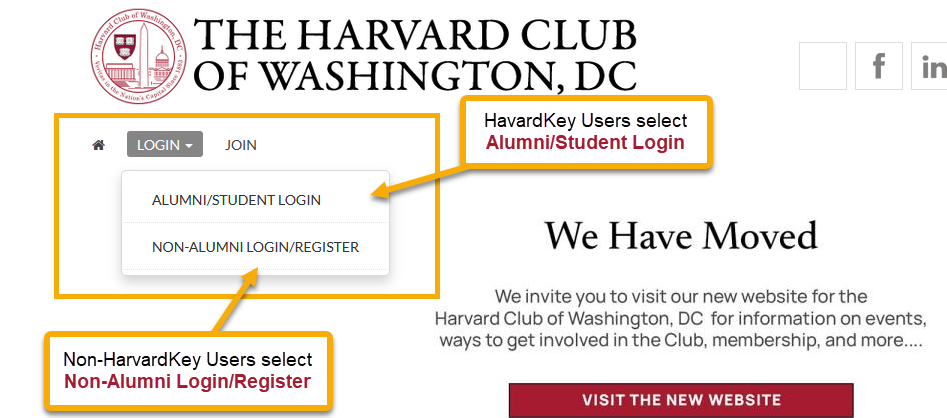
For alumni and student users with HarvardKey, select the Alumni/Student Login.
For those without HarvardKey, select Non-Alumni Login/Register.
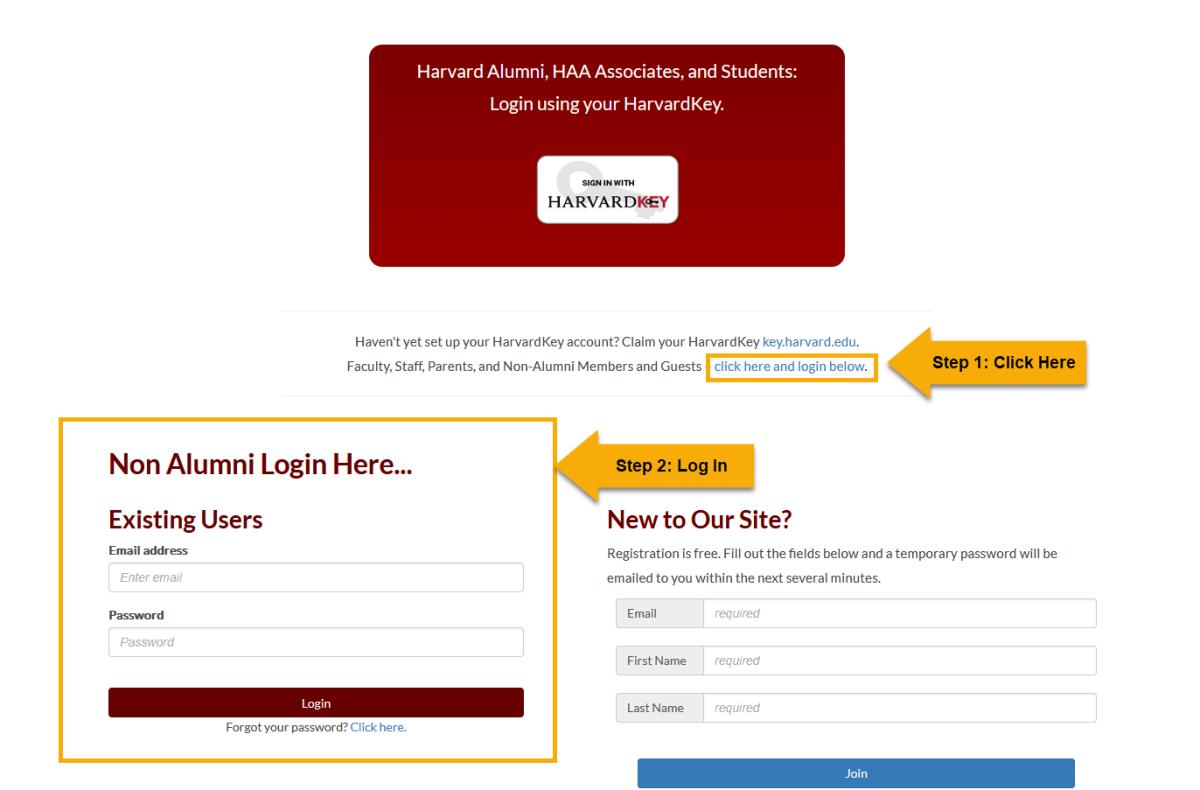
For those without HarvardKey, click on the "click here and log in below" link.
Fill in your email address (the same one you used for the membership application) and password.
Note: If you need to create or reset your password, click the link for "Forgot your password?"
2. Go to your account and membership
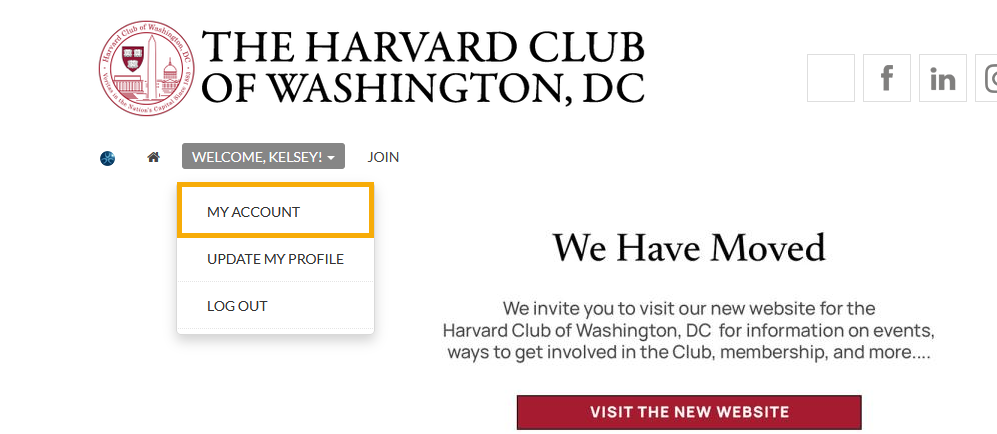
After logging in, click the "WELCOME, YOUR NAME!" menu item, and select "MY ACCOUNT"
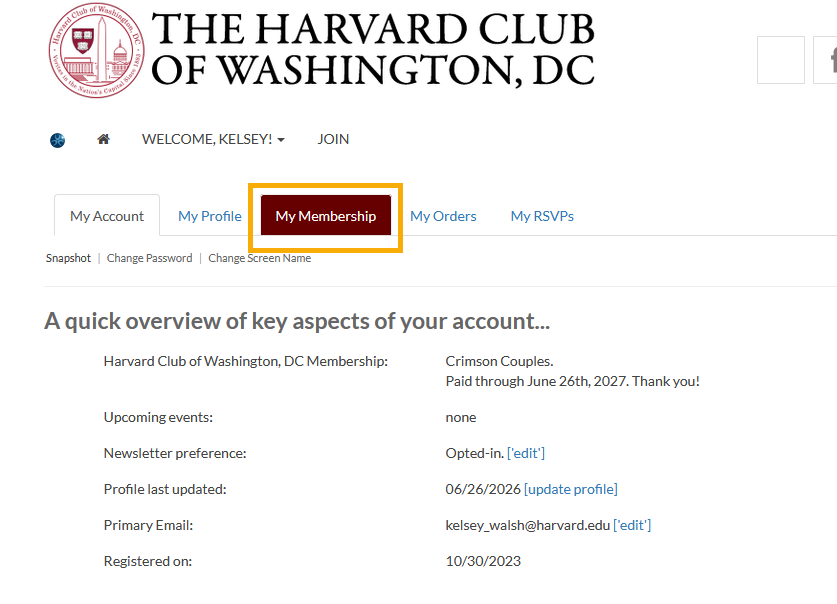
Then, navigate to the My Membership tab.
3. Add your spouse/partner to your membership
On the Membership tab, you will see the option to add a co-member to your membership.
Add in your spouse/partner's email address, first name, and last name in the appropriate fields. If your spouse/partner is also an alumnus/a, use the email address associated with their HarvardKey to prevent login issues or duplicate accounts.
Once the information is added, click "Invite"
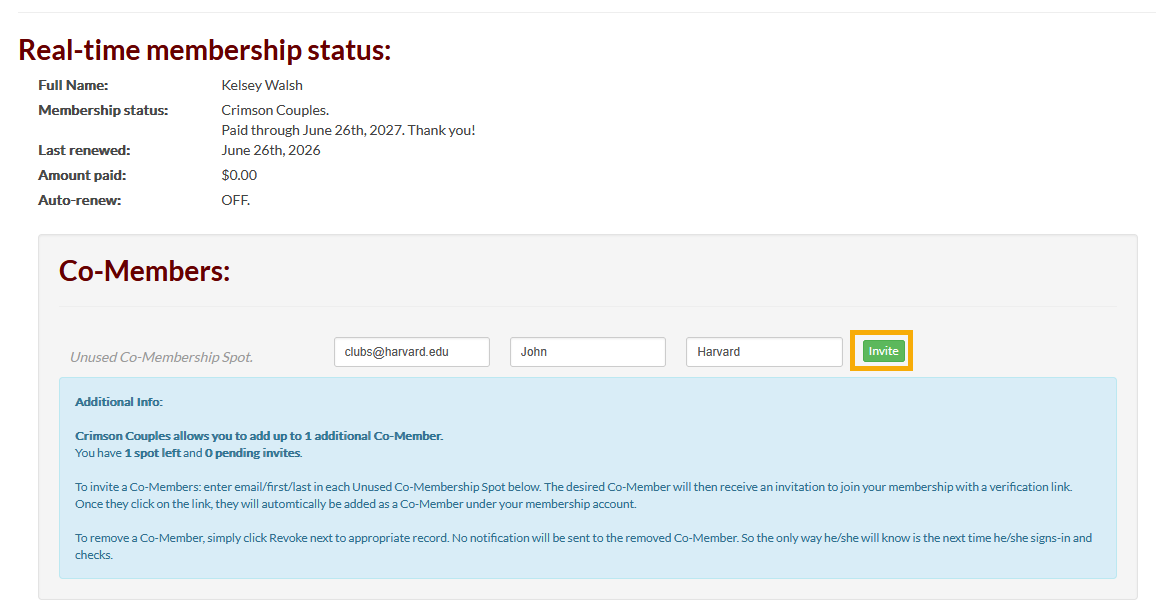
Your spouse/partner will then receive an email with a link to activate their membership. They should log into the site with the email address they received the invitation at.
For questions, please contact membership@harvard-dc.org.